> For the complete documentation index, see [llms.txt](https://docs.membercounter.app/llms.txt). Markdown versions of documentation pages are available by appending `.md` to page URLs; this page is available as [Markdown](https://docs.membercounter.app/commands/info.md).
# /info
List of useful links and other information.
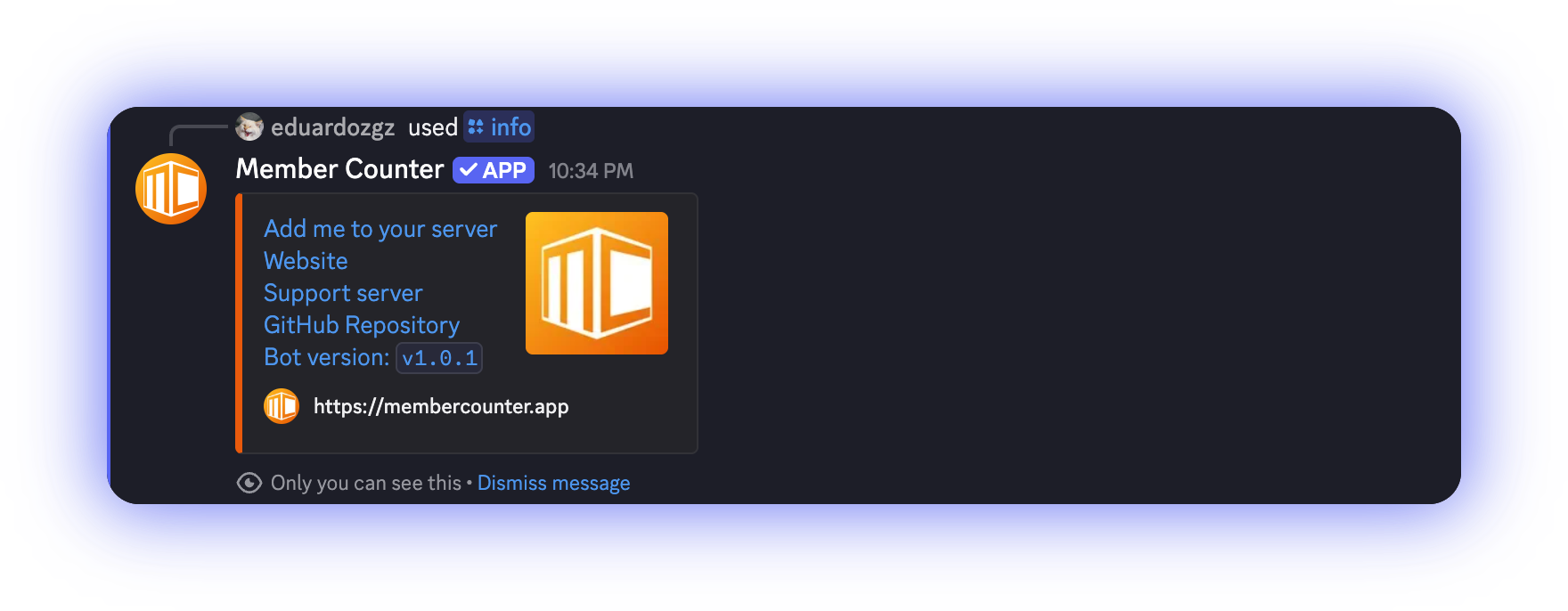
`/info` answers with an embed holding the bot's links and the version it is running.
```
/info
```
**Who can run it:** anyone, anywhere the bot's commands are available, DMs included. It has no options.
## What the reply contains
The embed holds:
| Line | Where it goes |
| ------------------------- | ------------------------------------------------------------------------------------------------------------- |
| **Add me to your server** | Discord's authorisation page for the bot you ran the command on, with the permissions it needs already ticked |
| **Website** | [membercounter.app](https://membercounter.app) |
| **Support server** | [membercounter.app/support](https://membercounter.app/support) |
| **GitHub Repository** | [github.com/member-counter/bot](https://github.com/member-counter/bot) |
| **Bot version: `vX.Y.Z`** | That version's release page on GitHub |
All the links in one reply, ending with the running version.
The version line tells you which build answered you. Quote it when you report a problem in the [support server](https://membercounter.app/support), and run `/info` after updating a [self-hosted bot](/self-hosting/self-hosting.md) to confirm the new version is running.
{% hint style="info" %}
**Add me to your server** always invites the bot you ran the command on. [`/invite`](/commands/invite.md) behaves differently: its first button invites the public bot, or on a self-hosted bot, the bot its configuration names.
{% endhint %}
On a self-hosted bot, **Website**, **Support server** and **GitHub Repository** keep pointing at the official website, support server and repository until you change them. See [Configuration](/self-hosting/configuration.md).
Technical details
* The lines are one translated string, `interaction.commands.info.embedReply.description`.
* The invite link is built from the running bot's own client ID, with `scope=bot` and `permissions=269569044`.
* The version is read from the repository's root `package.json` at build time and the link is `/releases/tag/v`, so on a fork the link only resolves if that tag exists there.
* Env vars behind the links when self-hosting: `OFFICIAL_WEBSITE_URL` for **Website** (defaults to `https://membercounter.app`), `VITE_SUPPORT_URL` for **Support server**, `VITE_BOT_REPO_URL` for **GitHub Repository** and the version link. None of them is `WEBSITE_URL`, which is the dashboard `/configure` opens.
* No contexts and no default member permissions are set, so the command also runs in DMs and group DMs.