> For the complete documentation index, see [llms.txt](https://docs.membercounter.app/llms.txt). Markdown versions of documentation pages are available by appending `.md` to page URLs; this page is available as [Markdown](https://docs.membercounter.app/counters-reference/bot-stats.md).
# Bot stats
Return the total number of users and servers the bot is currently in. (You probably don't need this)
Bot stats shows how big the bot itself is: how many servers it is in, or the sum of the members of those servers. To count your own server, use [Members](/counters-reference/members.md) instead.
**Availability:** every bot. It needs no API key and no privileged intent, so it also works on a plain [self-hosted bot](/self-hosting/self-hosting.md).
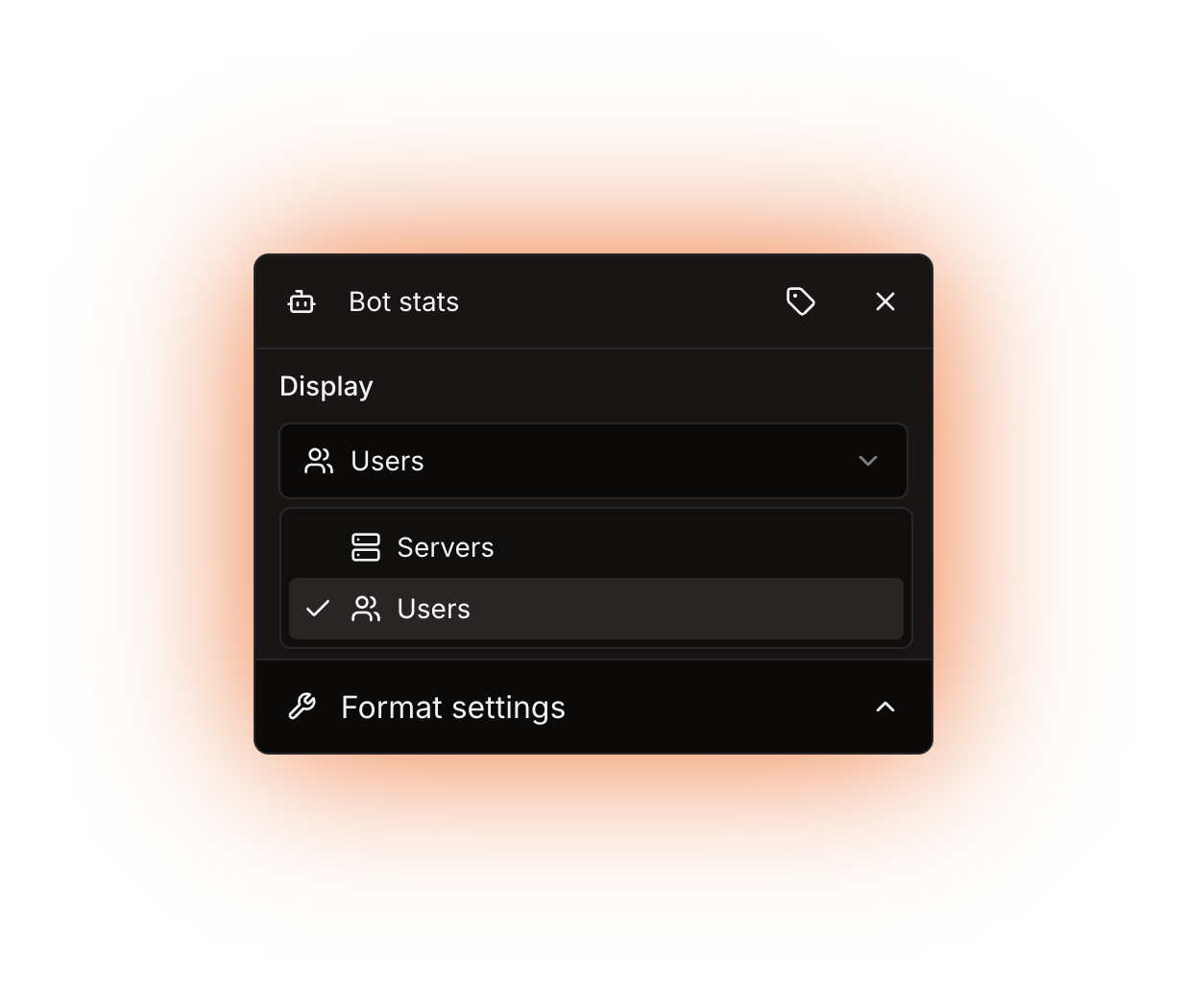
The Display dropdown
## Options
| Option | What it does | Notes |
| ----------------- | ----------------------------------------------------------- | ----------------------------------------------------------- |
| **Display** | Chooses what the counter outputs: **Servers** or **Users**. | Defaults to **Users**. It does not accept a nested counter. |
| **Display label** | A custom name for this counter's chip in the editor. | Optional. It only changes the editor. |
## What it returns
A plain number.
* **Servers** is how many Discord servers the bot is in.
* **Users** is the sum of every server's member count. It is **not** a count of unique people: someone who is in three of the bot's servers is counted three times.
The numbers describe the bot that serves your server. On a [custom bot](/custom-bot/custom-bot.md) or a [self-hosted bot](/self-hosting/self-hosting.md) you get that instance's own totals.
{% hint style="info" %}
A bot without the **Server Members Intent**, and that includes the public bot and the legacy premium bot, takes member counts from Discord's approximate counts, and a server whose approximate count is missing counts as 0, so **Users** reads low. A [custom bot](/custom-bot/how-to-get-a-custom-bot.md) or a self-hosted bot with the [privileged intents enabled](/custom-bot/creating-a-discord-bot-account.md) reports exact counts.
{% endhint %}
## Formatting
The result is a number, so every option in **Format settings** applies. A bot with 4,800,000 users reads `4.8M` with **Use compact notation** on.
Custom digits only reach text and announcement channel **topics**. Voice and category channel **names** never show them. See [Formatting counters](/using-the-dashboard/customizing-counters.md).
## Refresh and caching
The counter is not cached, so the value is only as fresh as the channel. Channels are rewritten every 5 minutes on a custom bot, the legacy premium bot and a self-hosted bot, and every 10 minutes on the public bot. Just after a restart the value can read low for one update, and it corrects itself on the next one. See [How counters update](/using-the-dashboard/how-counters-update.md).
## Examples
{% tabs %}
{% tab title="Server count" %}
Type `In` , add a **Bot stats** counter with **Display** set to **Servers**, then type `servers`. The channel reads:
```
In 12K servers
```
{% endtab %}
{% tab title="Both numbers" %}
Add the counter twice in the same template, one with **Display** set to **Servers** and one set to **Users**:
```
12K servers | 4.8M users
```
{% endtab %}
{% endtabs %}
The rendered result in a voice channel
## Errors
The counter has no error message of its own. It can return `0`, which is too short for a channel name.
| Message | What it means | What to do |
| --------------------------------------------------------------- | ------------------------------------------------------------------------------------------------------------------- | ------------------------------------------------------------------------------------------------------- |
| The result for the channel name is less than 2 characters long. | The template is nothing but this counter, and it returned `0`. A channel name must be at least two characters long. | Put text around the counter, as the examples do. Text and announcement channel topics are not affected. |
Technical details
* Evaluator: `packages/services/src/DataSource/DataSourceEvaluator/evaluators/bot-stats.ts`. It sums `userCount` or `guildCount` over the bot's processes and caches nothing.
* The counter's id is `12`. The stored `return` option is `0` for Users, which is also what an absent option evaluates as, and `1` for Servers.
* The totals travel over Redis pub/sub: one request on `bot-stats-req-`, one reply per process on `bot-stats-res-`. The consumer resolves as soon as the replies cover `shardCount` shards, or after 1.5 seconds with whatever answered, so a process that is still starting is left out of that update. If nothing answers, the counter returns `0` instead of failing.
* Per process, `userCount` is `isPrivileged ? g.memberCount : (g.approximateMemberCount ?? 0)` summed over the guild cache. `guildCount` is the size of that process's guild cache, guilds Discord reports as unavailable included.
* Each counter gets 60 seconds to evaluate, not the template as a whole. Past that it fails with `EVALUATION_TIMEOUT`, "The evaluation took too long and timed out."
* **Add counter** matches what you type against each counter's id and its keywords, and Bot stats is the only visible counter with no keywords in the locale files, so no word of its name or description finds it. Searching `12` does; otherwise you scroll to it. The keywords would go in `apps/frontend/src/locales/en-US/main.json`.
* Legacy `member-counter-users` and `member-counter-guilds` templates were converted into this counter.
* Unrelated to the hourly "Send bot stats" job, which posts the guild count to discord.bots.gg, top.gg and botsfordiscord.
* Self-hosting: no environment variable of its own. It only needs the Redis the bot already runs with.