> For the complete documentation index, see [llms.txt](https://docs.membercounter.app/llms.txt). Markdown versions of documentation pages are available by appending `.md` to page URLs; this page is available as [Markdown](https://docs.membercounter.app/counters-reference/channels.md).
# Channels
Count the number of channels within specified categories or overall.
This counter shows how many channels the server has. Left alone it counts the whole server; with **Filter by category** it counts only the channels inside the categories you pick.
**Availability:** every bot. It needs no privileged intents and no paid plan, so the only difference between bots is how often the channel is refreshed.
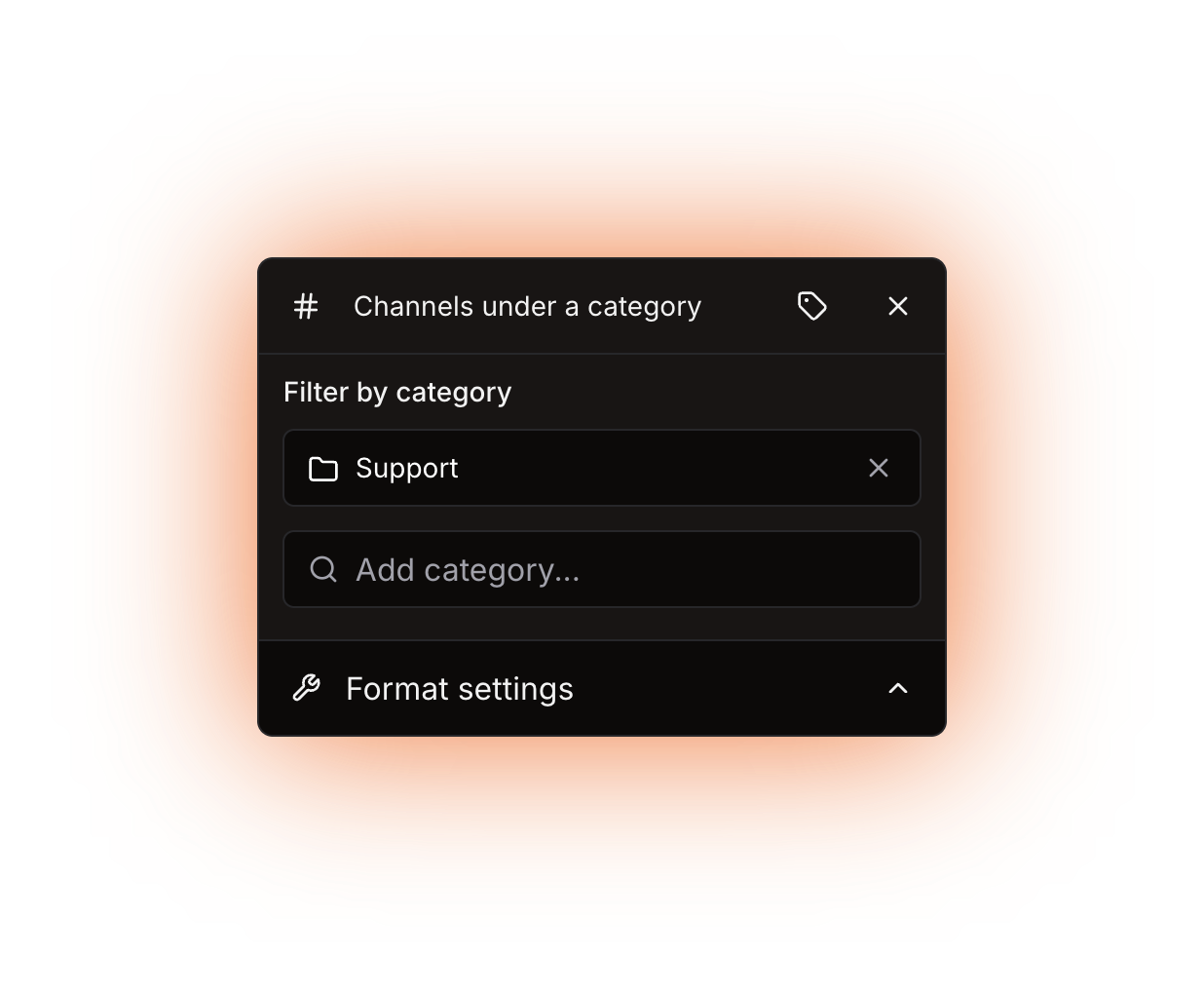
The only option is "Filter by category"
## Options
| Option | What it does | Notes |
| ---------------------- | ---------------------------------------------------------- | ----------------------------------------------------------------------------------------------------------------------------------------- |
| **Filter by category** | Counts only the channels inside the categories you select. | Empty by default, which counts the whole server. The picker lists categories only. Several categories are counted together in one number. |
An entry can be a [nested counter](/using-the-dashboard/nested-counters.md), and it has to return a valid category ID.
## What it returns
A number.
* With **Filter by category** empty: every channel in the server except the categories themselves. Text, announcement, voice, stage, forum and media channels all count.
* With one or more categories selected: every channel inside those categories.
{% hint style="warning" %}
Threads are never counted, so a busy forum channel counts as one channel no matter how many posts it holds.
{% endhint %}
Channels the bot cannot see are not counted either. If a number looks too low, check the bot's **View Channel** permission on the private channels you expected to be included.
## Formatting
Custom digits only reach text and announcement channel **topics**; voice and category channel **names** always show plain digits. See [Format settings](/using-the-dashboard/customizing-counters.md).
## Refresh and caching
The channel list is kept up to date by Discord events, so the counter is accurate as of the last channel update: every **10 minutes** on the public bot and every **5 minutes** on the other bots. Creating or deleting a channel therefore changes the number on the next update, not right away. See [How counters update](/using-the-dashboard/how-counters-update.md).
## Examples
{% tabs %}
{% tab title="Every channel" %}
Template: `Channels: {counter}` with **Filter by category** empty. This is the channel [/setup server](/commands/setup.md) creates for you, and it shows the total for the whole server.
No category selected, so the whole server is counted: the test server has 11 channels
{% endtab %}
{% tab title="One category" %}
Add your `Support` category under **Filter by category**. The counter then shows how many channels live in it, and the category itself is not part of the total.
One category selected under "Filter by category"
{% endtab %}
{% tab title="Several categories" %}
Add as many categories as you like. Their channels are added up into a single number, so `Support` plus `Tickets` gives you one combined total.
{% endtab %}
{% endtabs %}
## Errors
| Message | What to do |
| --------------------------------------------------------------- | ----------------------------------------------------------------------------------------------------------------------------------------------------------- |
| The result for the channel name is less than 2 characters long. | The finished voice or category channel name is a single character, for example a lone `9`. Add some text around the counter, such as `Channels: {counter}`. |
The channel shows `ERROR!` while this is the case, and the channel page names the reason.
Technical details
* Evaluator: `packages/services/src/DataSource/DataSourceEvaluator/evaluators/channels.ts`. With no category it counts every cached channel that is not a category; with categories it counts the channels whose parent is one of the selected ids, whatever their type.
* An entry that resolves to an empty string matches every channel that sits outside a category, the categories themselves included, and the number jumps. Any other id that is not a real category matches no channel and adds nothing. Neither case raises an error.
* Threads never reach the channel cache, because the bot caps every thread cache to 0.
* The channel cache comes from the `Guilds` intent and is kept current by gateway events, so no privileged intent and no premium flag are involved.
* The `Update channels` job runs on cron `0 */5 * * * *` when `DISCORD_BOT_INSTANCE_IS_PREMIUM` is `true`, and on `0 */10 * * * *` when it is `false`. That variable is the only one that changes anything for this counter when self-hosting.
* The only error the counter can produce is `EVALUATION_RESULT_FOR_CHANNEL_NAME_IS_LESS_THAN_2_CHARACTERS`, raised for voice and category channel names only; topics are not length-checked, they are cut to 1023 characters, while names are cut to 99.