> For the complete documentation index, see [llms.txt](https://docs.membercounter.app/llms.txt). Markdown versions of documentation pages are available by appending `.md` to page URLs; this page is available as [Markdown](https://docs.membercounter.app/counters-reference/clock.md).

# Clock

Display a clock adjusted to your preferred timezone.

Shows the current time of the timezone you pick. Write the format yourself, for example `%H:%M` for `19:35`.

**Availability:** every bot, no API key. Only the update cadence differs: every 10 minutes on the public bot, every 5 minutes on a [legacy premium](/custom-bot/legacy-premium-vs-custom-bot.md), [custom](/custom-bot/custom-bot.md) or [self-hosted](/self-hosting/self-hosting.md) bot. See [Configuration](/self-hosting/configuration.md).

<figure><img src="https://1582170640-files.gitbook.io/~/files/v0/b/gitbook-x-prod.appspot.com/o/spaces%2F-Lu2S5r7lKtu4IK5ucu9%2Fuploads%2Fgit-blob-82a23c99ae0cb592f5c12f2e68c395e24f6110a5%2Fcounter-clock-options.png?alt=media" alt="Clock options"><figcaption><p>The two options of the Clock counter, with the <strong>Live preview</strong> underneath</p></figcaption></figure>

## Options

| Option            | What it does                                                          | Notes                                                                                                                                                                                                                                                                            |
| ----------------- | --------------------------------------------------------------------- | -------------------------------------------------------------------------------------------------------------------------------------------------------------------------------------------------------------------------------------------------------------------------------- |
| **Timezone**      | The timezone the time is read in.                                     | Pick one of the presets, which you can search. They carry friendly labels, such as **Madrid** for `Europe/Madrid`. You cannot type one that is missing: use a [nested counter](/using-the-dashboard/nested-counters.md) that returns an identifier such as `Asia/Tokyo` instead. |
| **Format**        | The text the counter prints, with the placeholders below substituted. | Free text. The default is `%f`. Also takes a nested counter that returns a formatting string.                                                                                                                                                                                    |
| **Display label** | Renames the counter's chip in the editor.                             | Cosmetic. See [Formatting counters](/using-the-dashboard/customizing-counters.md#display-label).                                                                                                                                                                                 |

{% hint style="warning" %}
**Leave Timezone empty and you get UTC.**
{% endhint %}

### Placeholders

| Placeholder | What it does                              | Example   |
| ----------- | ----------------------------------------- | --------- |
| `%H`        | Hour with leading zero, 24-hour (00-23)   | `19`      |
| `%h`        | Hour without leading zero, 24-hour (0-23) | `19`      |
| `%I`        | Hour with leading zero, 12-hour (01-12)   | `07`      |
| `%i`        | Hour without leading zero, 12-hour (1-12) | `7`       |
| `%M`        | Minute with leading zero (00-59)          | `35`      |
| `%m`        | Minute without leading zero (0-59)        | `35`      |
| `%S`        | Second with leading zero (00-59)          | `00`      |
| `%s`        | Second without leading zero (0-59)        | `0`       |
| `%p`        | am/pm (lowercase)                         | `pm`      |
| `%P`        | AM/PM (uppercase)                         | `PM`      |
| `%f`        | Default locale-based formatting           | `7:35 PM` |

The table shows 19:35 with the `en-US` locale. `%f` prints the hour and the minute, nothing else. **Format** prints the rest as you type it, and an empty one falls back to `%f`. The placeholders are case-sensitive, and [Date](/counters-reference/date.md) and [Countdown](/counters-reference/countdown.md) have their own sets.

## What it returns

Text, never a number, even when the format is only digits. A voice or category channel name still has to end up at least 2 characters long; see [Channel settings](/using-the-dashboard/channel-settings.md).

## Formatting

Only **Override default locale** matters here: it decides what `%f` looks like, how `%p` and `%P` are worded, and which digits the time is written in. Without an override the counter follows [Server settings](/using-the-dashboard/server-settings.md). A locale with non-Latin digits breaks the four placeholders without a leading zero: `ar-EG` writes `%H` as `١٩`, and `%h`, `%i`, `%m` and `%s` print `NaN`, so use `%H`, `%I`, `%M` and `%S` with such a locale. See [Formatting counters](/using-the-dashboard/customizing-counters.md#override-default-locale).

## Refresh and caching

The time is rounded to the nearest 5 minutes, so `%S` always prints `00` and at 19:33 the clock already reads `19:35`. The channel changes only on the update cycle, so on the public bot `19:30` can sit there until 19:40. See [How counters update](/using-the-dashboard/how-counters-update.md).

## Examples

{% tabs %}
{% tab title="24-hour clock" %}
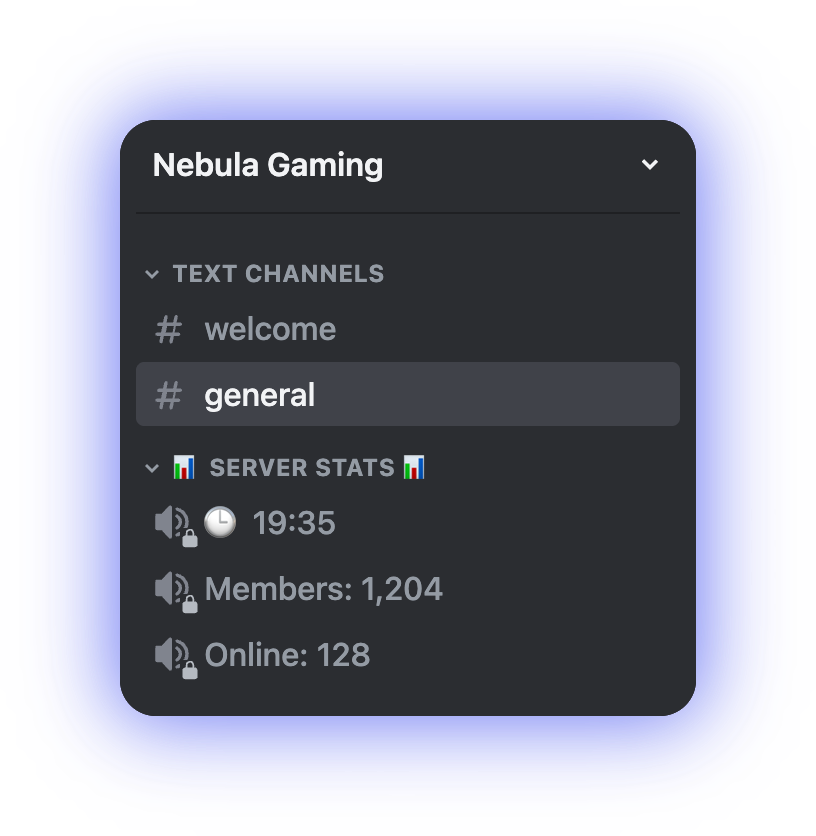
**Timezone** `Europe/Madrid`, **Format** `🕒 %H:%M` gives `🕒 19:35`. For a 12-hour clock, `%i:%M %P` gives `7:35 PM`.

<figure><img src="https://1582170640-files.gitbook.io/~/files/v0/b/gitbook-x-prod.appspot.com/o/spaces%2F-Lu2S5r7lKtu4IK5ucu9%2Fuploads%2Fgit-blob-dce2a0b8d6a1a25c107d568c71c0f63ed3d542c7%2Fcounter-clock-example-24h.png?alt=media" alt="A voice channel showing a 24-hour clock"><figcaption><p>A 24-hour clock in a voice channel name</p></figcaption></figure>
{% endtab %}

{% tab title="Two counters in one template" %}
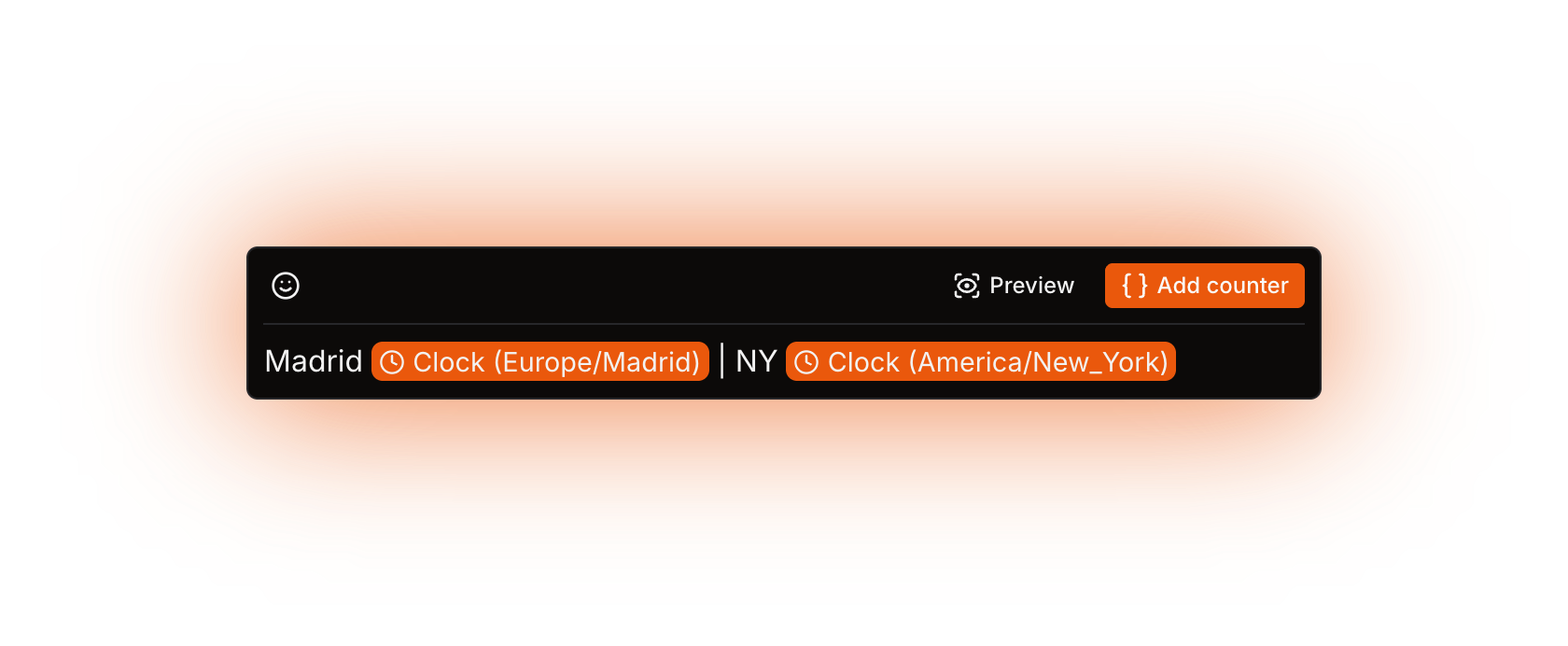
A counter has one **Timezone**, so put two Clock counters in one template: `Madrid {counter} | NY {counter}`, set to `Europe/Madrid` and `America/New_York`, both with **Format** `%H:%M`. Output: `Madrid 19:35 | NY 13:35`.

<figure><img src="https://1582170640-files.gitbook.io/~/files/v0/b/gitbook-x-prod.appspot.com/o/spaces%2F-Lu2S5r7lKtu4IK5ucu9%2Fuploads%2Fgit-blob-8bfde2e3cff7291368b8140ef96849470d75667e%2Fcounter-clock-example-two-timezones.png?alt=media" alt="A template with two Clock counters"><figcaption><p>Two Clock counters, one per timezone, in one template</p></figcaption></figure>

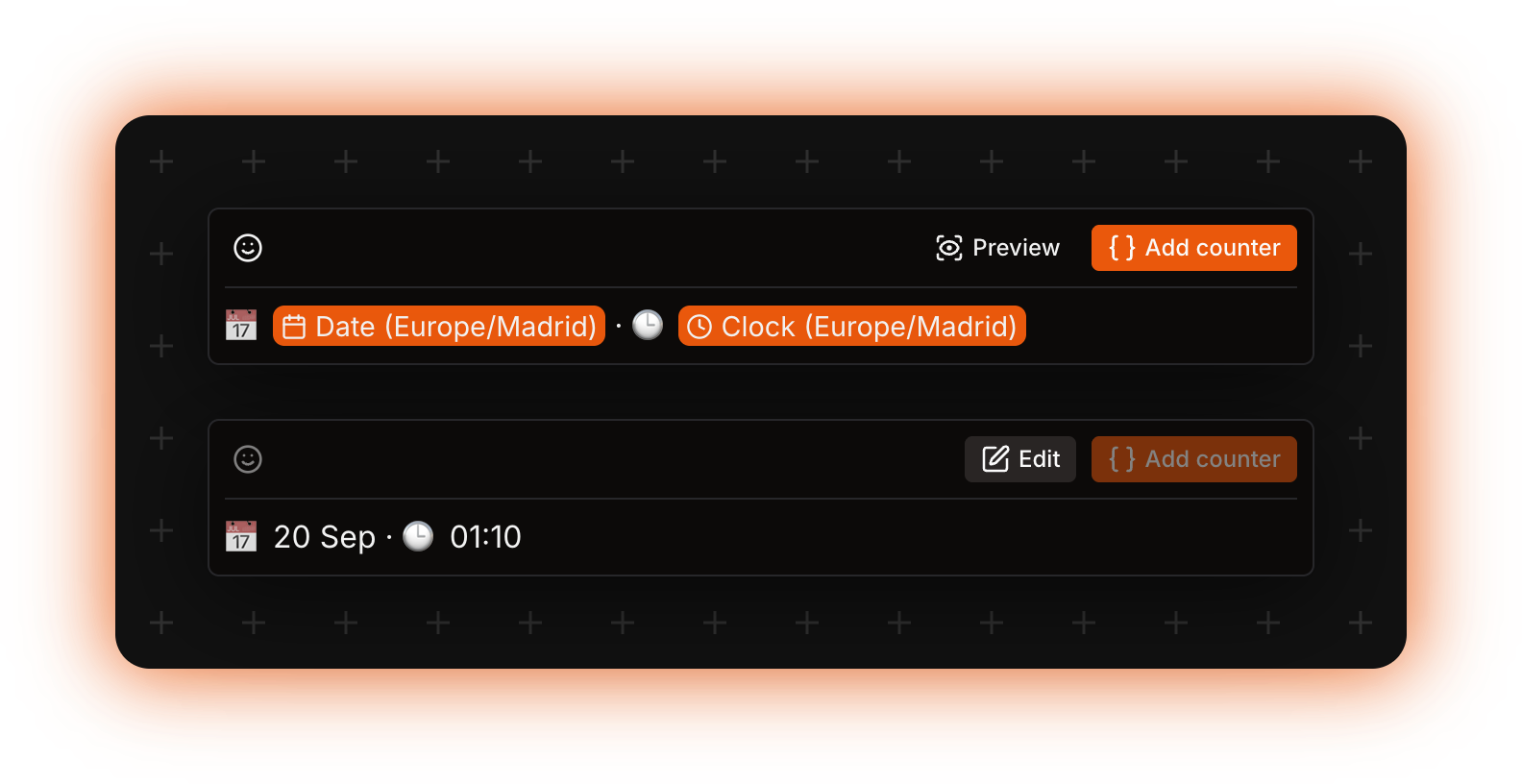
A [Date](/counters-reference/date.md) counter can sit in the same template, with its own **Timezone**.

<figure><img src="https://1582170640-files.gitbook.io/~/files/v0/b/gitbook-x-prod.appspot.com/o/spaces%2F-Lu2S5r7lKtu4IK5ucu9%2Fuploads%2Fgit-blob-d0e32fc9e1a471f7541daa30e23346490cc84fee%2Fcounter-clock-example-with-date.png?alt=media" alt="A Date counter and a Clock counter in one template"><figcaption><p>A Date counter and a Clock counter in one template, with the rendered preview underneath</p></figcaption></figure>
{% endtab %}
{% endtabs %}

## Errors

Clock has no fallback. When it fails the bot renames the channel to **ERROR!**, translated into the server's language, and it does not put the old name back. More in [Troubleshooting](/using-the-dashboard/troubleshooting.md).

| Message                                                         | What to do                                                                                                                                     |
| --------------------------------------------------------------- | ---------------------------------------------------------------------------------------------------------------------------------------------- |
| **ERROR!** in the channel name                                  | Check the **Timezone** value and the **Override default locale** tag. The dashboard only reports **An unknown error occurred.** for these two. |
| The result for the channel name is less than 2 characters long. | Put some text around the counter.                                                                                                              |

<details>

<summary>Technical details</summary>

* Evaluator: `packages/services/src/DataSource/DataSourceEvaluator/evaluators/clock.ts`. Nothing is cached; the time is recomputed on every template evaluation.
* The rounding is `Math.round(Date.now() / coeff) * coeff` with `coeff = 1000 * 60 * 5`, so the rendered time can be up to 2 minutes 30 seconds ahead of real time.
* `%f` is `Intl.DateTimeFormat(locale, { hour: "numeric", minute: "numeric", timeZone })`. `%H`, `%M` and `%S` come from `formatToParts` with `hour12: false`; `%I`, `%p` and `%P` from a second formatter with `hour12: true`.
* `%h`, `%i`, `%m` and `%s` are `parseInt()` of the padded part, which is why a locale with non-Latin digits turns them into `NaN`.
* With no **Timezone** picked, `timeZone` is `undefined` and `Intl` uses the host's timezone. The official containers run in UTC.
* Locale resolution: the counter's override, else the server's, and `en-US` when the tag is shorter than 2 characters.
* An invalid timezone identifier or locale tag makes `Intl.DateTimeFormat` throw a `RangeError`. It is not a `KnownError`, so the dashboard falls back to **An unknown error occurred.**
* Each top-level counter in a template has a 60 second timeout (`EVALUATION_TIMEOUT`), covering its nested counters too. The result is cut to 99 characters for voice and category names, 1023 for text and announcement topics, and a name under 2 characters throws `EVALUATION_RESULT_FOR_CHANNEL_NAME_IS_LESS_THAN_2_CHARACTERS`.
* On a failed evaluation the bot writes `jobs.updateChannels.computeError` (**ERROR!**) into the channel and stores the message as the channel's `LastTemplateComputeError`.
* The `Update channels` job runs on cron `0 */5 * * * *` when `DISCORD_BOT_INSTANCE_IS_PREMIUM` is `true`, and on `0 */10 * * * *` when it is `false`. The shipped `.env.example` sets it to `true`. No other environment variable affects Clock.
* The timezone list is `apps/frontend/src/lib/timezones.ts` (109 entries); the combobox only accepts entries from it.
* There is no live preview when **Format** is empty or when a counter fills it; the whole template has to be previewed instead.

</details>