> For the complete documentation index, see [llms.txt](https://docs.membercounter.app/llms.txt). Markdown versions of documentation pages are available by appending `.md` to page URLs; this page is available as [Markdown](https://docs.membercounter.app/counters-reference/game.md).
# Game
Retrieve the current number of online players in your game server, compatible with more than 320 games.
The Game counter queries your game server and shows how many players are online right now. It uses node-gamedig, so Minecraft, Rust, ARK and many other games work. The full list is the [node-gamedig game list](https://github.com/gamedig/node-gamedig/blob/master/GAMES_LIST.md).
**Availability:** every bot. It needs no privileged intents. A self-hosted bot must be able to reach the game server's query port outbound.
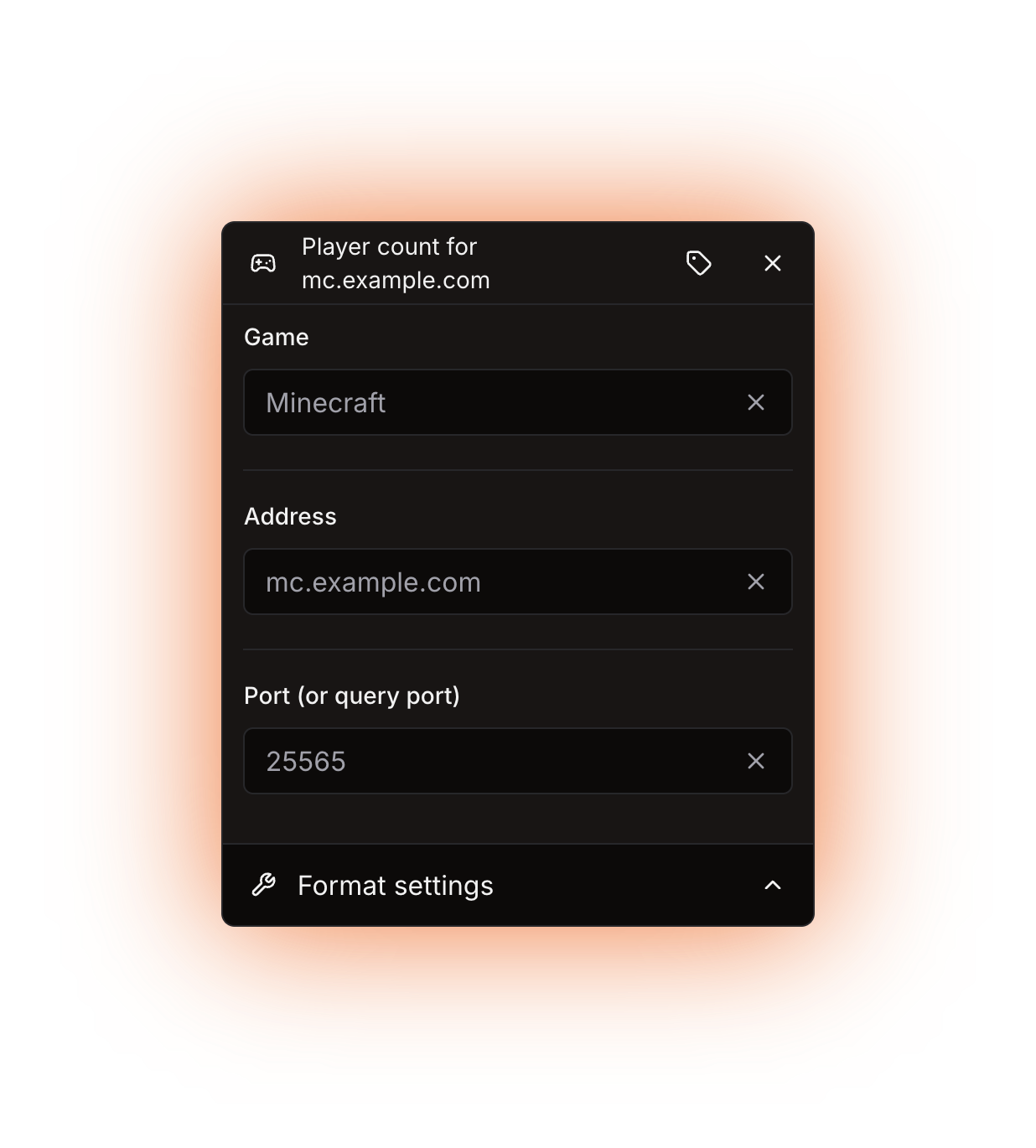
The Game counter panel
## Options
| Option | What it does | Notes |
| ------------------------ | ------------------------------------------------------------------------------------------- | --------------------------------------------------------------------------------------------------------------------------------------- |
| **Game** | Which game the server runs, and therefore which query protocol the bot speaks. | Required. Type in the box to search the list. This field only takes an entry from the list or a counter, never a game ID typed by hand. |
| **Address** | The host of the game server: an IP such as `1.2.3.4` or a domain such as `mc.example.com`. | Required. Do not add the port here, it has its own field. |
| **Port (or query port)** | The port the query is sent to. | Required. Picking a game fills in a default port, but only while the field is still empty. Only numbers are accepted. |
| **Display label** | A custom name for this counter's chip in the editor. It does not change the channel output. | Optional. Open it with the **Edit display label** button. |
All three query options accept another counter instead of a typed value. The gear button on the nested counter's row tells you what it has to return. See [Nested counters](/using-the-dashboard/nested-counters.md).
{% hint style="info" %}
The **Game** list shows readable names such as `Minecraft` or `Ark: Survival Evolved`, but the value stored is the node-gamedig game ID: `minecraft`, `ase`. A counter used in this field has to return that ID, not the readable name.
{% endhint %}
## Query port or game port
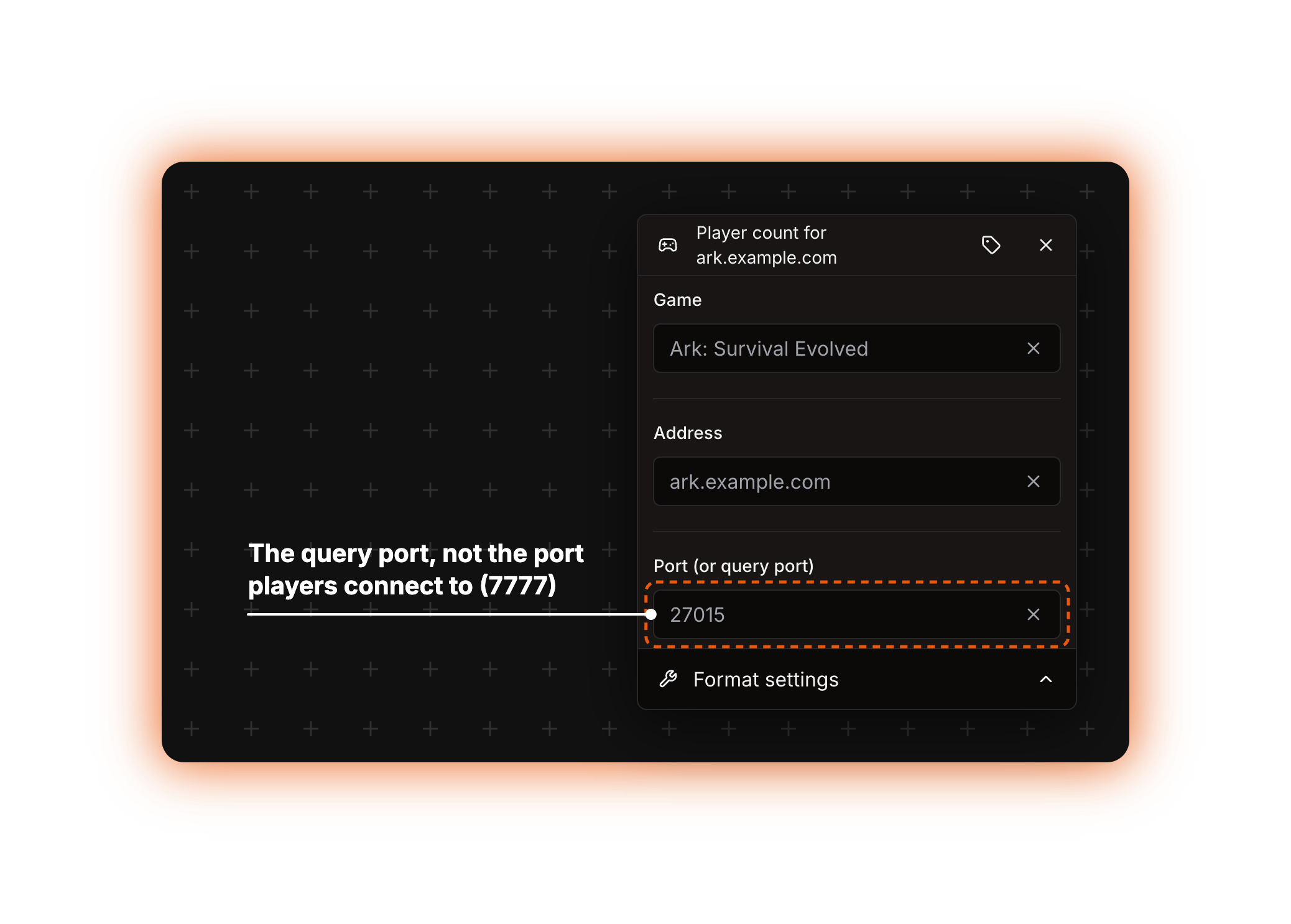
This is the most common reason a Game counter does not work. Many games answer status queries on a different port from the one players connect to, and this field wants the **query** port. Minecraft uses the same port for both, `25565`. ARK does not.
Picking a game fills in that game's query port if node-gamedig knows one, and its connect port otherwise, so check the number. If you change the game later, the old port stays and you have to correct it yourself. When you are not sure, look up the query port in your host's control panel or in your server configuration.
## What it returns
The number of players online, and nothing else. Maximum players, the map name, the server name and the player list are not available from this counter.
There is no fallback option. If the server is offline, the address is wrong, the query port is closed or the game type does not match, the counter fails and the bot renames the channel (or rewrites the topic) to `ERROR!` until the next successful update. The real message is shown on the counter in the dashboard. See [Troubleshooting](/using-the-dashboard/troubleshooting.md).
{% hint style="info" %}
Put some text around the counter, for example `Online:` , when it feeds a voice or category channel name. A channel name must be at least 2 characters, so a small server that answers with a single digit makes the update fail.
{% endhint %}
## Formatting
The result is a number, so the **Format settings** block applies: **Use compact notation**, **Override default locale** and **Override default digits**. Without compact notation the number is printed plain, with no thousands separator. Custom digits only reach text and announcement channel **topics**; voice and category channel names never show them. See [Formatting counters](/using-the-dashboard/customizing-counters.md).
## Refresh and caching
Nothing is cached. Every channel update sends a fresh query: every 10 minutes on the public bot, every 5 minutes on the legacy premium bot, custom bots and self-hosted bots. See [How counters update](/using-the-dashboard/how-counters-update.md).
{% hint style="warning" %}
A server that does not answer makes the counter time out.
{% endhint %}
## Examples
{% tabs %}
{% tab title="Minecraft" %}
| Option | Value |
| ------------------------ | ---------------------------- |
| **Game** | `Minecraft` (ID `minecraft`) |
| **Address** | `mc.example.com` |
| **Port (or query port)** | `25565` |
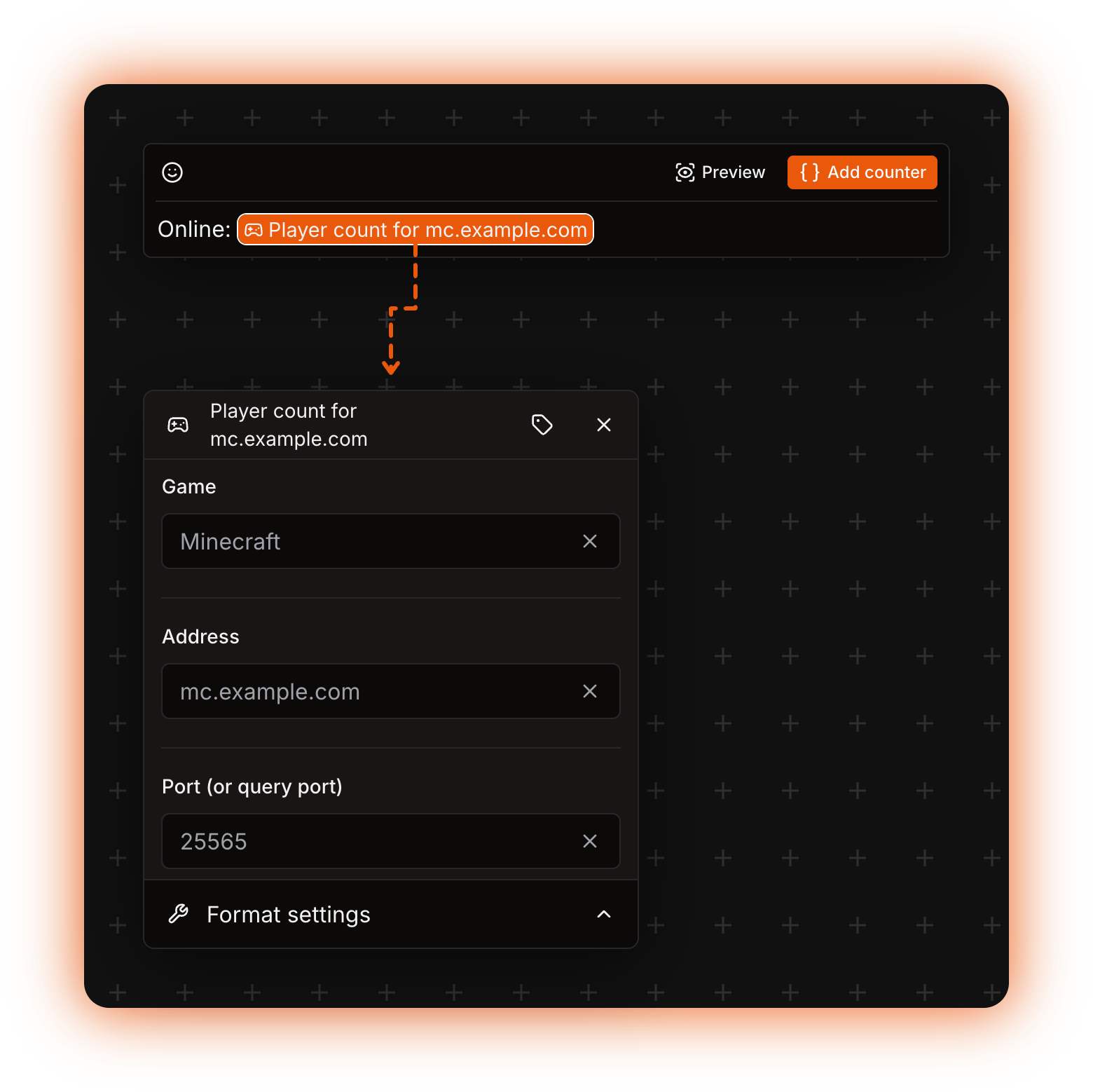
Written in the template as `Online:` followed by the counter, the channel reads `Online:` plus the player count.
The counter in the template after Online: , and the Game panel it opens
{% endtab %}
{% tab title="ARK" %}
| Option | Value |
| ------------------------ | ---------------------------------- |
| **Game** | `Ark: Survival Evolved` (ID `ase`) |
| **Address** | `ark.example.com` |
| **Port (or query port)** | `27015` |
`7777` is the port players connect to. Use `27015`, the query port, which the editor fills in for you when you pick this game.
The query port is not the port players connect to
{% endtab %}
{% tab title="Several servers" %}
Add one Game counter per server inside a [Math](/counters-reference/math.md) counter whose **Operation type** is **Addition** to show the players across your whole network in one channel, or wrap a counter in [Concat](/counters-reference/concat.md) to build a sentence around it.
For a server type node-gamedig does not support but that has a public status API, use the [HTTP](/counters-reference/http.md) counter instead.
{% endtab %}
{% endtabs %}
## Errors
The bot checks the address first, then the port, then the game, so a counter with nothing filled in reports the address message first.
| Message | What to do |
| ----------------------------------------------------------------- | -------------------------------------------------------------------------------- |
| *The game counter requires a server address.* | Fill **Address** with the host, without the port. |
| *The game counter requires a server port.* | Fill **Port (or query port)**. |
| *A game ID must be provided for the game counter.* | Pick a game in **Game**. |
| *The evaluation took too long and timed out.* | Check the query port and the address, and make sure the server is still running. |
| *The result for the channel name is less than 2 characters long.* | Put some text around the counter. |
Any other failure comes from the query itself: the server is offline, the query port is closed or blocked by a firewall, or the game type does not match what the server runs. Check the port first, then the address. More in [Troubleshooting](/using-the-dashboard/troubleshooting.md).
Technical details
* Evaluator: `packages/services/src/DataSource/DataSourceEvaluator/evaluators/game.ts`. It calls `GameDig.query` with the game type, the host, the port and `maxRetries: 5`, and returns the `numplayers` field.
* The asserts run before the query, in this order: `GAME_MISSING_ADDRESS`, `GAME_MISSING_PORT`, `GAME_MISSING_GAME_ID`. Anything node-gamedig throws is passed through as it is, so the dashboard shows node-gamedig's own text, not a known error.
* node-gamedig's `attemptTimeout` defaults to 10 s, and every retry runs more than one attempt (the given port with its query port offset, the game's own query port when the given port is the connect port, then the plain options), so 5 retries are at least 10 attempts of 10 s. An unreachable server therefore usually spends the counter's whole 60 s budget (`EVALUATION_TIMEOUT`) before it fails.
* The finished result is trimmed, then cut to 1023 characters on text and announcement topics and to 99 characters on other channel names. A channel name under 2 characters raises `EVALUATION_RESULT_FOR_CHANNEL_NAME_IS_LESS_THAN_2_CHARACTERS`.
* The game list maps every node-gamedig entry to its name and to `port_query ?? port`. That is the number the editor fills in, and it never overwrites a port you already typed.
* `gamedig` is pinned as `^5.3.2` in `packages/services/package.json`. That version ships 356 game types, so the number in the description grows with the dependency.
* No environment variable is involved. A self-hosted bot needs outbound access to the query port: UDP for most protocols, TCP for some, Minecraft among them.