> For the complete documentation index, see [llms.txt](https://docs.membercounter.app/llms.txt). Markdown versions of documentation pages are available by appending `.md` to page URLs; this page is available as [Markdown](https://docs.membercounter.app/counters-reference/members.md).
# Members
Count members, you can also filter them by their online status, specific roles and more.
This counter shows how many members your server has. You can filter which members are counted.
**Availability:** every bot can count all members, **Online + Idle + DND**, **Online**, **Offline** and banned members. The **Idle** and **Do not disturb** statuses and the account type, role, game and voice channel filters need the privileged intents, so they only work on a [custom bot](/custom-bot/custom-bot.md) or a [self-hosted bot](/self-hosting/self-hosting.md). The [legacy premium bot](/custom-bot/legacy-premium-vs-custom-bot.md) has no privileged intents and behaves like the public bot here. If you self-host, keep the [configuration](/self-hosting/configuration.md) defaults and turn the intents on in the [Developer Portal](/custom-bot/creating-a-discord-bot-account.md).
Every option of the Members counter
## Options
A member is counted only when it matches every filter you set. Leave a filter empty to skip it.
| Option | What it does | Notes |
| ------------------------------------------ | ------------------------------------------------------------------------------ | ---------------------------------------------------------------------------------------------------------------------------------------------------------------------------------- |
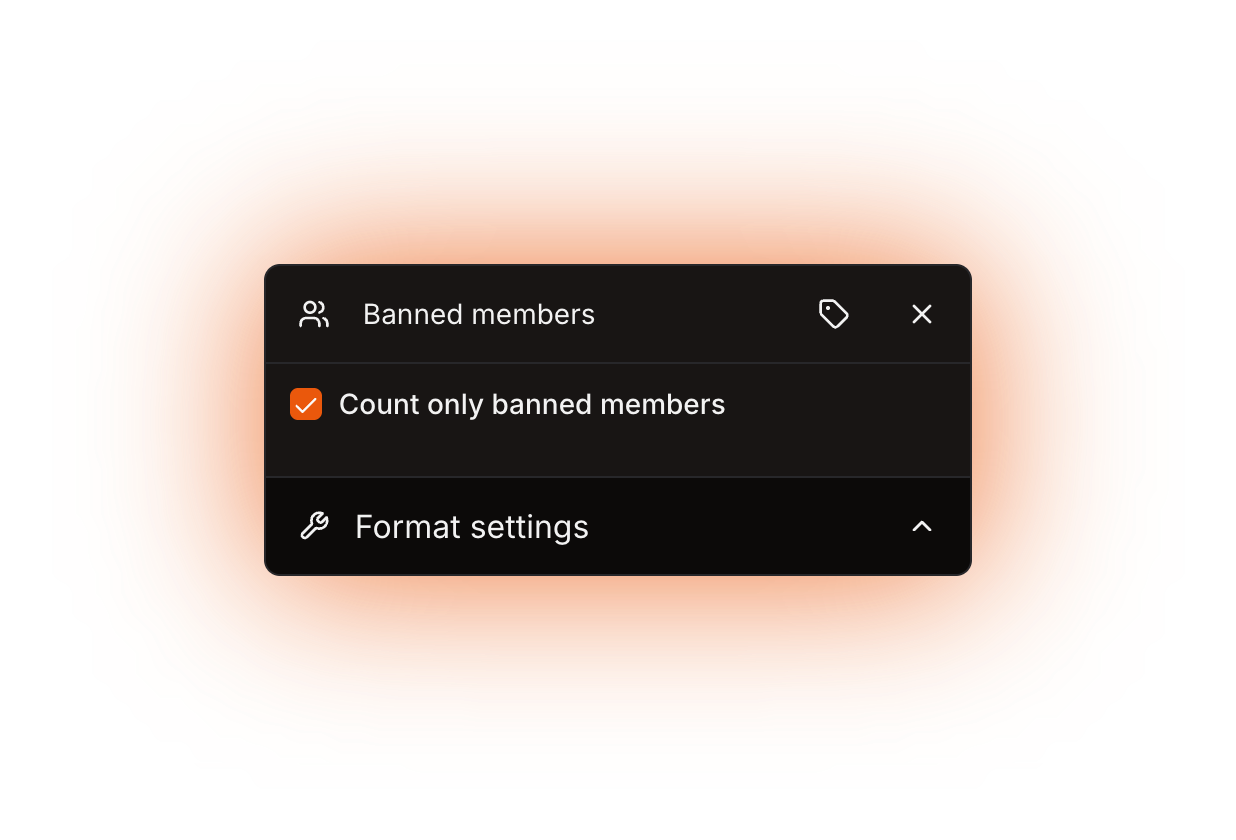
| **Count only banned members** | Returns the number of banned users instead of members. | Off by default. It overrides the other options, and the dashboard hides them while it is checked. The bot needs the **Ban Members** permission. |
| **Filter by status** | Counts only members whose presence matches the status you pick. | **Any** (default), **Online + Idle + DND**, **Online**, **Idle**, **Do not disturb**, **Offline**. |
| **Filter by account type** | Counts only real users, only bots, or both. | **Any** (default), **User**, **Bot**. |
| **Filter by role** | Counts only members that have the roles you add. | |
| **Filter mode** | Decides how several selected roles are combined. | It sits in the **Filter by role** section. **Any match** (default) counts a member that has at least one of the roles, **Overlap** counts it only when it has every selected role. |
| **Filter by playing a game** | Counts only members running an activity whose name contains the text you type. | Matching ignores case and looks at any activity, so `mine` also matches `Minecraft`, and a Spotify session or a custom status can match too. |
| **Filter by connected to a voice channel** | Counts only members connected to one of the channels you add. | The picker lists voice and stage channels only. |
Role, game and voice channel entries can be [nested counters](/using-the-dashboard/nested-counters.md). The gear button of the entry says what the nested counter has to return, for example a valid role ID.
## What it returns
A number. With **Count only banned members** checked it is the number of bans in the server, otherwise the number of members left after your filters.
The public bot and the legacy premium bot only get Discord's approximate counts, so **Online** and **Online + Idle + DND** return the same value there, and **Offline** returns the member count minus that value. Discord's number already includes idle and Do Not Disturb members.
## Formatting
Custom digits only reach text and announcement channel **topics**; voice and category channel **names** always show plain digits. See [Format settings](/using-the-dashboard/customizing-counters.md).
## Refresh and caching
Channels are re-rendered every **10 minutes** on the public bot and every **5 minutes** on the other bots. On those two bots the approximate counts are refreshed every **20 minutes** on top of that, so the number can be up to half an hour behind. The ban list is fetched once per server and kept up to date by Discord's ban events from then on, so new bans and unbans show up on the next update. See [How counters update](/using-the-dashboard/how-counters-update.md).
## Examples
The channel [/setup server](/commands/setup.md) creates is `Online: {counter}` with **Filter by status** set to **Online**.
{% tabs %}
{% tab title="Members with a role" %}
**Filter by role** = your `Staff` role, **Filter mode** = **Any match**. To count people who hold two roles at once, add both roles and switch to **Overlap**.
Counting the members of one role
{% endtab %}
{% tab title="Playing a game" %}
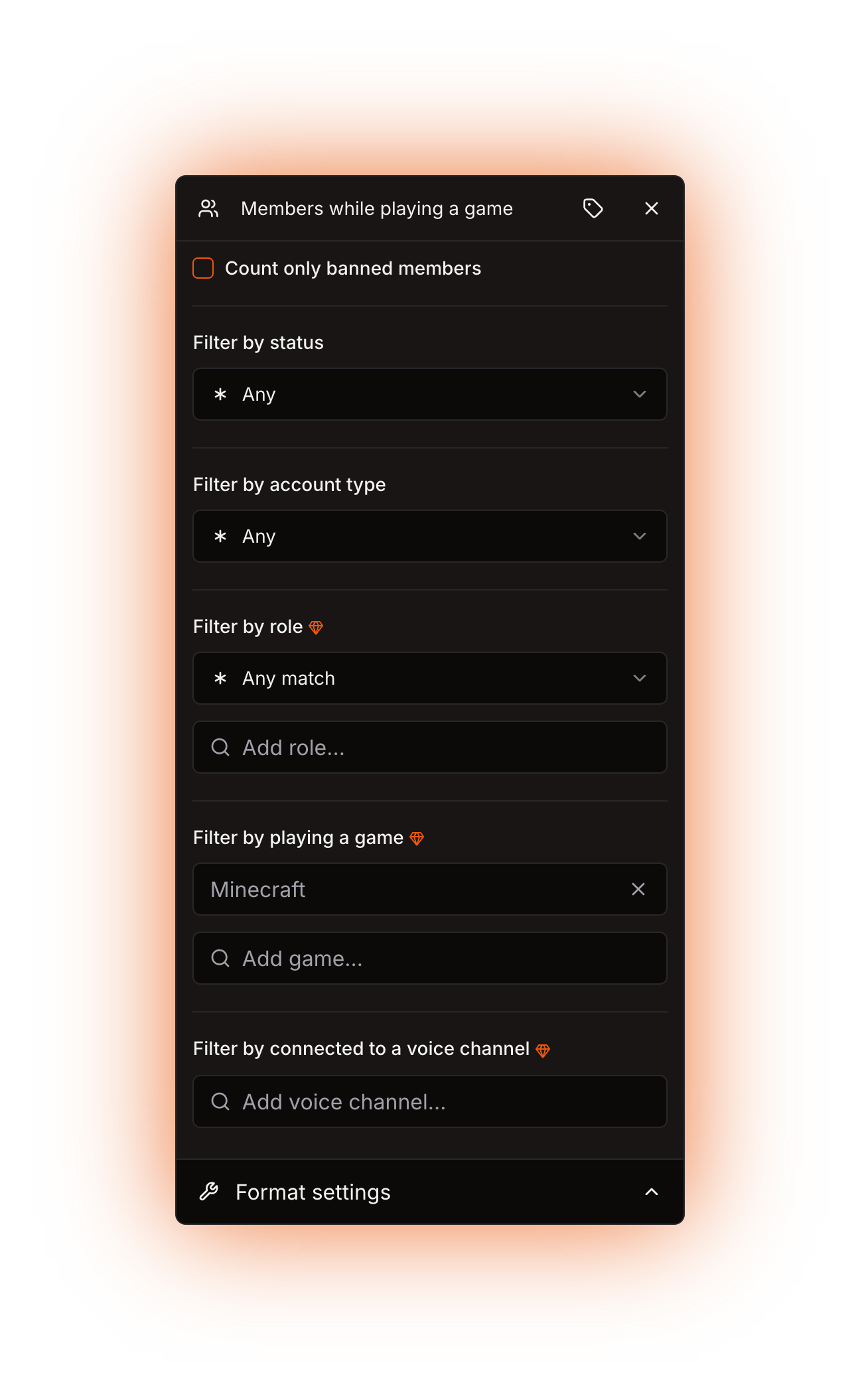
**Filter by playing a game** = `Minecraft`. Add more entries to count several games in one number.
With "Count only banned members" checked the other filters are hidden
{% endtab %}
{% endtabs %}
## Errors
The channel shows `ERROR!` and the channel page names the reason.
| Message | What to do |
| ------------------------------------------------------------------------------------ | ------------------------------------------------------------------------------------------------------------------------------------------------------------------------------------------------------------------------------------------------------- |
| The bot is not a premium version and lacks certain features needed for this counter. | You used a filter the public bot cannot do. Move the counter to a [custom bot](/custom-bot/how-to-get-a-custom-bot.md) or a [self-hosted bot](/self-hosting/self-hosting.md), or switch to **Any**, **Online + Idle + DND**, **Online** or **Offline**. |
| The bot does not have enough privileged intents to use this counter. | On the legacy premium bot this is expected: it has no privileged intents, so use a custom bot or self-host. On a self-hosted bot, restore the [configuration](/self-hosting/configuration.md) defaults and restart the bot. |
| The member counts are not available at this moment. | Discord did not send the approximate counts this time. It usually fixes itself on the next update. |
| The result for the channel name is less than 2 characters long. | The finished voice or category channel name is a single character, for example a lone `0`. Add some text around the counter. |
Technical details
* Evaluator: `packages/services/src/DataSource/DataSourceEvaluator/evaluators/members.ts`.
* The counting path is picked from `DISCORD_BOT_INSTANCE_IS_PRIVILEGED` alone, but the `GuildMembers` and `GuildPresences` intents and the member and presence caches need `DISCORD_BOT_INSTANCE_IS_PRIVILEGED` and `DISCORD_BOT_INSTANCE_IS_PREMIUM` both set to `true`, their `.env.example` defaults. **Filter by connected to a voice channel** also needs the `GuildVoiceStates` intent and the voice state cache, which exist only when `DISCORD_BOT_INSTANCE_IS_PREMIUM` is `true`.
* Privileged path: it filters a clone of `guild.members.cache`. **Overlap** keeps a member only when it has every selected role, **Any match** when it has at least one. The game filter trims and lowercases each entry and matches it with `includes` against the name of every activity in the member's presence.
* Unprivileged path: `guild.approximateMemberCount`, `guild.approximatePresenceCount` for **Online** and **Online + Idle + DND**, the difference of the two for **Offline**. Every other filter throws.
* A privileged and premium instance fetches the whole member list with presences on `guildAvailable`, so on every start and every reconnection, and follows gateway events from then on. A server joined while the bot is running is populated from the gateway payload and the events that follow.
* A non-privileged instance refreshes the approximate counts with the `Fetch approximate member count` job, cron `0 */20 * * * *`, plus once on client ready and once per server on `guildCreate`. The job is disabled when the instance is privileged.
* The `Update channels` job runs on cron `0 */5 * * * *` when `DISCORD_BOT_INSTANCE_IS_PREMIUM` is `true`, and on `0 */10 * * * *` when it is `false`.
* Banned mode fetches the ban list once per server per bot process, remembers that server until the process restarts, and returns the size of the ban cache. That fetch is a REST call, gated by the **Ban Members** permission and not by any intent. Afterwards the ban cache is kept up to date from the `GUILD_BAN_ADD` and `GUILD_BAN_REMOVE` events, which arrive through the always-on `GuildModeration` intent, and it is uncapped.
* An unsupported filter throws `BOT_HAS_NO_ENOUGH_PRIVILEGED_INTENTS` on a premium instance and `BOT_IS_NOT_PREMIUM` on a non-premium one. A missing approximate count throws `MEMBER_COUNT_NOT_AVAILABLE`.
* A ban list fetch that fails for a missing **Ban Members** permission is not a known error, so the dashboard reports **An unknown error occurred.** instead of naming the permission.
* Each `{...}` part of the template has 60 seconds to return, nested counters included, then `EVALUATION_TIMEOUT`. The finished text is cut to 99 characters for channel names and to 1023 for topics, and a name shorter than 2 characters throws `EVALUATION_RESULT_FOR_CHANNEL_NAME_IS_LESS_THAN_2_CHARACTERS`.