> For the complete documentation index, see [llms.txt](https://docs.membercounter.app/llms.txt). Markdown versions of documentation pages are available by appending `.md` to page URLs; this page is available as [Markdown](https://docs.membercounter.app/counters-reference/memerator.md).
# Memerator
Fetch the follower count and meme count for a Memerator account.
Memerator reads a public Memerator profile and returns one of its two numbers: how many followers the account has, or how many memes it has posted. Put it in a voice channel name to keep your follower count visible.
**Availability:** every bot. Unlike [Twitch](/counters-reference/twitch.md) and [YouTube](/counters-reference/youtube.md), it is not restricted to a custom bot. If you [self-host](/self-hosting/self-hosting.md), set `MEMERATOR_API_KEY` yourself. See [Configuration](/self-hosting/configuration.md).
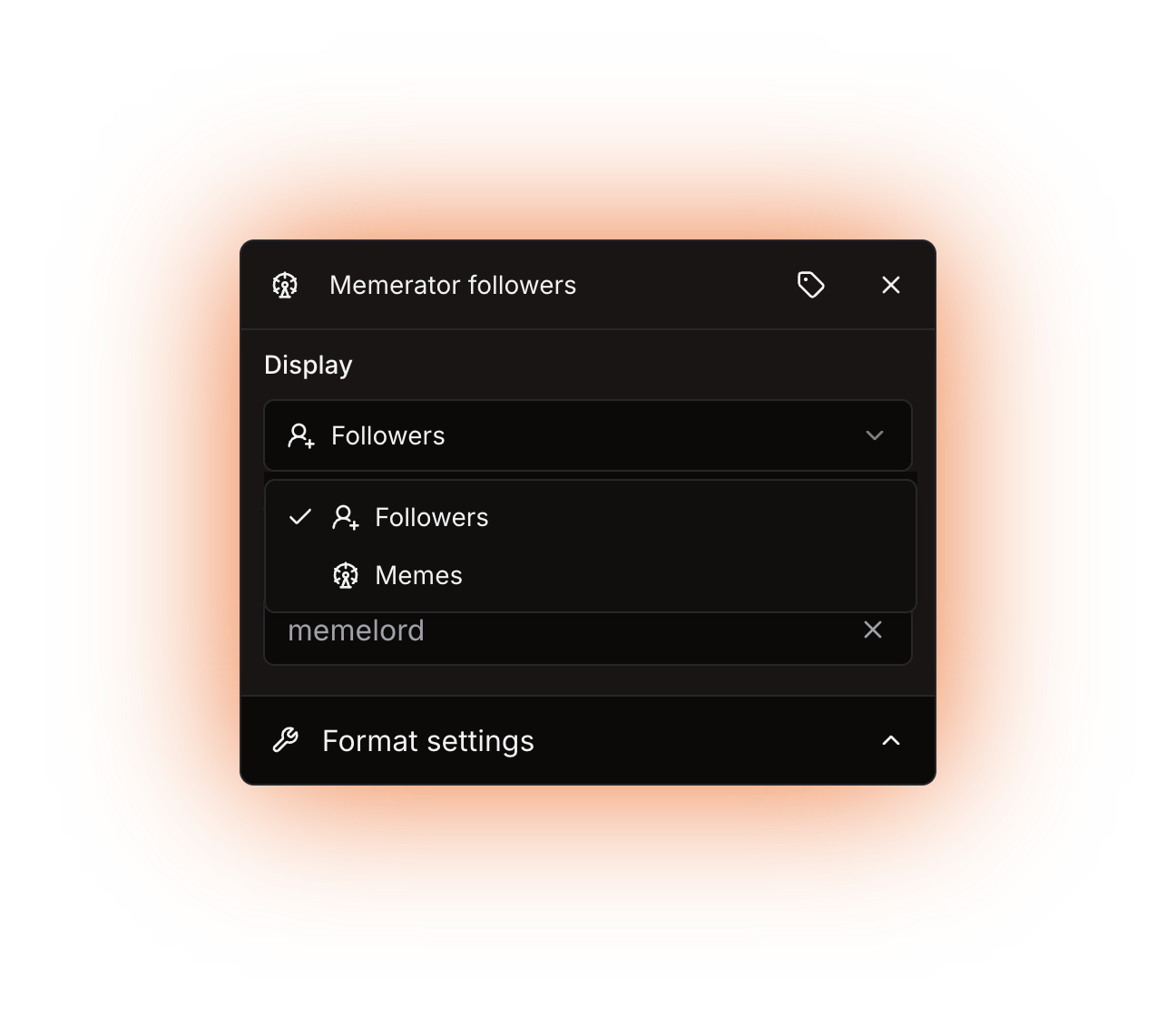
The Display and Username options
## Options
| Option | What it does | Notes |
| ----------------- | ------------------------------------------------------------- | ---------------------------------------------------------------- |
| **Display** | Chooses what the counter outputs: **Followers** or **Memes**. | Defaults to **Followers**. It does not accept a nested counter. |
| **Username** | The Memerator account to read. | Required. Type the username, or nest a counter that supplies it. |
| **Display label** | A custom name for this counter's chip in the editor. | Optional. It only changes the editor. |
**Username** also accepts a [nested counter](/using-the-dashboard/nested-counters.md), for example an [HTTP](/counters-reference/http.md) counter. It must return the bare username and nothing else.
## What it returns
A plain number: the account's follower count or its meme count.
There is no fallback option. If the counter cannot get a number, the whole template fails and the bot writes `ERROR!` into the channel name on a voice or category channel, or into the channel topic on a text or announcement channel.
## Formatting
Both values are numbers, so every option in **Format settings** applies.
Custom digits only reach text and announcement channel **topics**. Voice and category channel **names** never show them. See [Formatting counters](/using-the-dashboard/customizing-counters.md).
## Refresh and caching
A profile is cached for **30 minutes**, so a new follower can take that long to show. There is no way to force a refresh. See [How counters update](/using-the-dashboard/how-counters-update.md).
## Examples
{% tabs %}
{% tab title="Follower count" %}
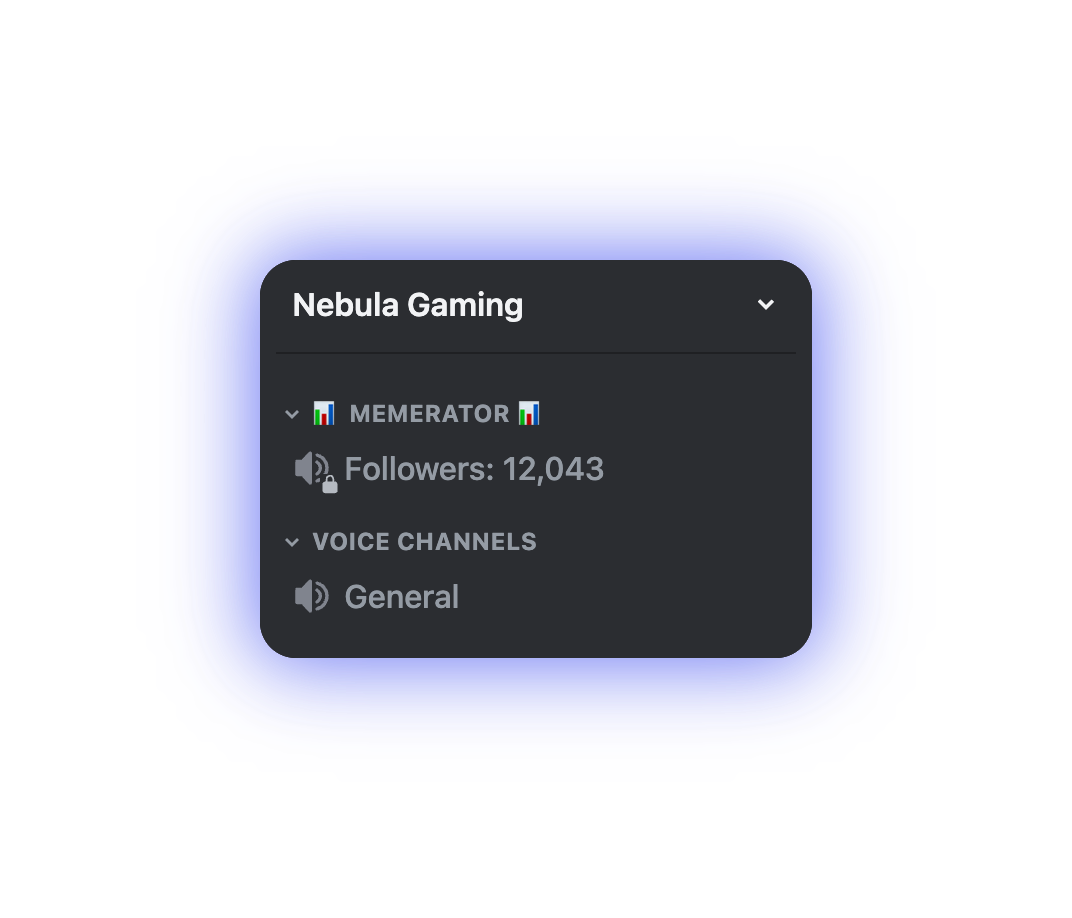
Type `Followers:` , then add a **Memerator** counter with **Display** set to **Followers** and **Username** set to your account. The channel reads:
```
Followers: 12K
```
{% endtab %}
{% tab title="Both numbers in one channel" %}
Add the counter twice in the same template, one with **Display** set to **Memes** and one set to **Followers**, and type the labels around them:
```
Memes: 318 | Followers: 12K
```
{% endtab %}
{% endtabs %}
The rendered result in a voice channel
## Errors
| Message | What it means | What to do |
| ------------------------------------------------------------ | ---------------------------------------------------------------------------- | ---------------------------------------------------------- |
| The Memerator counter requires a username, which is missing. | **Username** is empty, or the counter nested in it returned an empty string. | Fill in **Username**, or fix the counter you nested in it. |
A username that does not exist gives no message: the counter fails and the channel shows `ERROR!`. Check the spelling against the profile page. [Troubleshooting](/using-the-dashboard/troubleshooting.md) covers a channel stuck on `ERROR!`.
Technical details
* Evaluator: `packages/services/src/DataSource/DataSourceEvaluator/evaluators/Memerator.ts`. It sends a `GET` to `https://api.memerator.me/v1/profile/` with the key in the `Authorization` header, gives it 5 seconds (`AbortSignal.timeout`), and reads `stats.followers` or `stats.memes`.
* The counter's id is `7`. The stored `return` option is `0` for Memes and `1` for Followers, and an absent option evaluates as Followers.
* Cache: key `1:7:` in Redis (the `7` is the counter id), TTL 30 minutes. Every server watching the same account shares that entry and its numbers, concurrent evaluations of the key share one request, and a Redis failure counts as a cache miss instead of an error.
* `MEMERATOR_MISSING_USERNAME` is the only known error the counter raises.
* Without the key the evaluator throws the plain error `MEMERATOR_API_KEY not provided`; an unknown username, or any reply that is not `{ stats: { memes, followers } }`, fails zod validation. Neither is a known error, so the editor card falls back to "An unknown error occurred." and the real text only reaches the bot log.
* Self-hosting: get a key at [memerator.me/api/auth](https://memerator.me/api/auth) with the **Get Profiles - View Profiles** permission and set `MEMERATOR_API_KEY` in `.env`. Without it the counter still appears in **Add counter** and fails at update time.
* Its search keywords include `view`, so searching **Add counter** for "views" surfaces a counter that returns no views.
* Legacy `memeratorFollowers` and `memeratorMemes` templates were converted into this counter with **Display** and **Username** filled in.