> For the complete documentation index, see [llms.txt](https://docs.membercounter.app/llms.txt). Markdown versions of documentation pages are available by appending `.md` to page URLs; this page is available as [Markdown](https://docs.membercounter.app/custom-bot/custom-bot.md).
# What is a custom bot
A custom bot is Member Counter running under your own Discord bot token, on our hosting, with every feature turned on.
A custom bot is Member Counter logged in with **your** own Discord application. It uses your name, avatar and status. It is only in the servers you invite it to, and every feature is on.
We host it and keep it updated. You bring the token and pay the subscription.
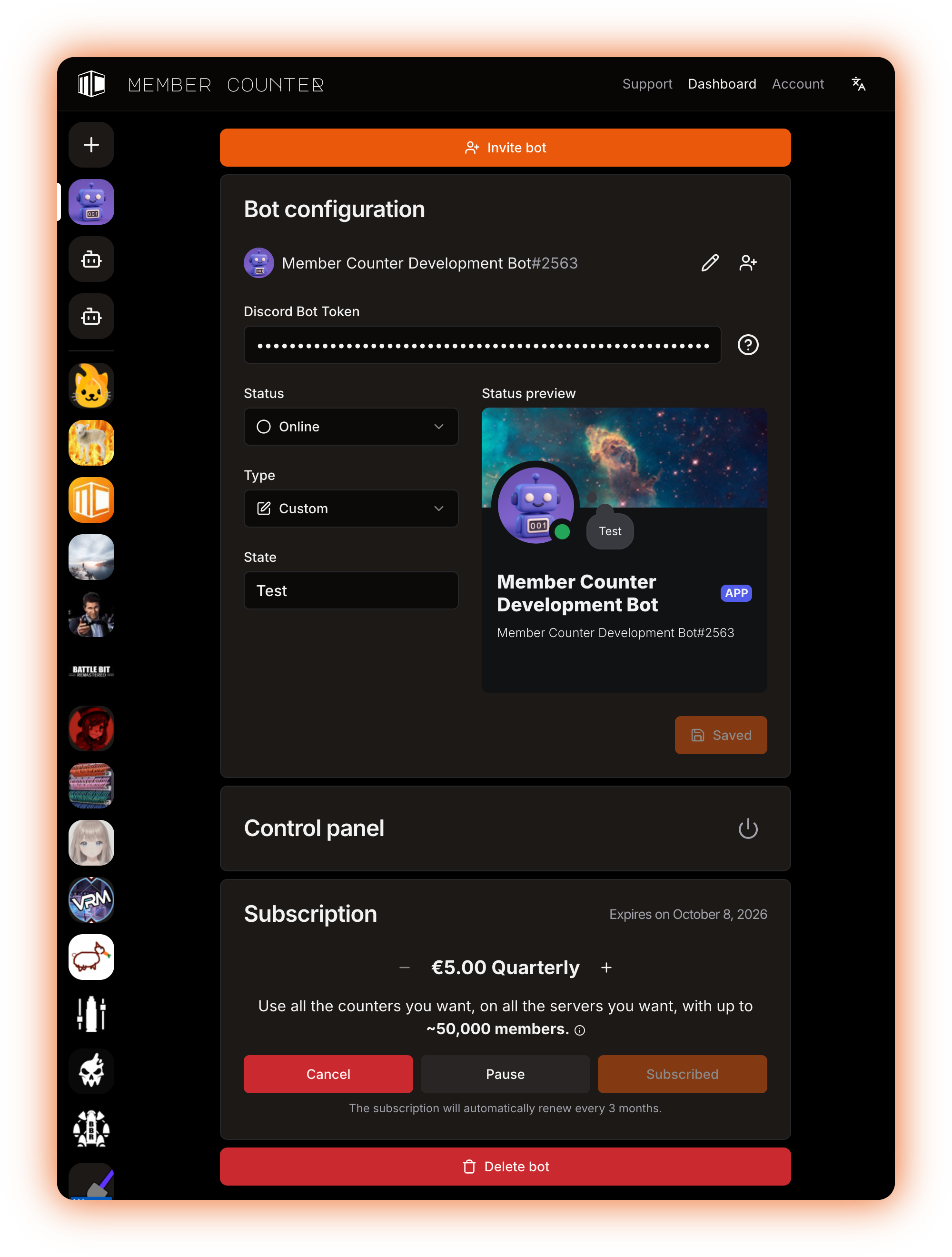
A custom bot in the dashboard: its Discord profile, the Control panel and the Subscription card
## How it compares
| | Public bot | Legacy premium bot | Custom bot | Self-hosted bot |
| ---------------------------------------------------------------------------------------------- | ---------------------------------------------------------------------- | --------------------------------------------- | ----------------------- | ------------------------------------- |
| [Counter refresh](/using-the-dashboard/how-counters-update.md) | Every 10 minutes | Every 5 minutes | Every 5 minutes | Every 5 minutes |
| [Member](/counters-reference/members.md) filters by role, account type, game and voice channel | No | No | Yes | Yes |
| **Online**, **Idle** and **Do Not Disturb** | Only an approximate **Online**, which includes Idle and Do Not Disturb | Same as the public bot | Exact, and told apart | Exact, and told apart |
| [Twitch](/counters-reference/twitch.md) and [YouTube](/counters-reference/youtube.md) counters | No | Yes | Yes | Yes, once you add the API credentials |
| Own name, avatar and [status](/custom-bot/changing-bots-status.md) | No | No | Yes | Yes |
| Who runs it | We do | We do | We do, under your token | You do, on your own machine |
| Cost | Free | Only for servers with a legacy server upgrade | From €5.00 per quarter | Free, you pay for the machine |
A self-hosted bot has these features when you keep the default settings and enable the privileged intents on your application. See [Configuration](/self-hosting/configuration.md).
{% hint style="info" %}
A custom bot is per **bot**, not per server. One custom bot can sit in as many servers as you want, as long as the subscription covers the members it has to keep in memory.
{% endhint %}
## Start here
{% content-ref url="/pages/Q305fnC6L27nKG0pj3hA" %}
[How to get a custom bot](/custom-bot/how-to-get-a-custom-bot.md)
{% endcontent-ref %}
{% content-ref url="/pages/Fx7QIcY4vrBPVjlfegeZ" %}
[Creating a Discord bot account](/custom-bot/creating-a-discord-bot-account.md)
{% endcontent-ref %}
{% content-ref url="/pages/BdLljO7ufgk1daDSAfrv" %}
[Setting up your custom bot](/custom-bot/setting-up-custom-bot.md)
{% endcontent-ref %}
Once it is running, see [Changing the bot's status](/custom-bot/changing-bots-status.md), [Control panel](/custom-bot/control-panel.md) and [Managing your subscription](/custom-bot/managing-your-subscription.md). If you already hold server upgrades, see [Legacy Premium vs. Custom Bot](/custom-bot/legacy-premium-vs-custom-bot.md).
## The free alternative
Member Counter is open source, so [self-hosting](/self-hosting/self-hosting.md) gives you the same features for free on your own machine.
If you get stuck, ask at the [support server](https://membercounter.app/support).
Technical details
* The **Update channels** job runs on cron `0 */5 * * * *` when `DISCORD_BOT_INSTANCE_IS_PREMIUM` is `true` and on `0 */10 * * * *` when it is `false`. Custom bots are launched with that flag and `DISCORD_BOT_INSTANCE_IS_PRIVILEGED` hard-coded to `true`, and `.env.example` ships both as `true`.
* The bot always asks for the `Guilds`, `GuildEmojisAndStickers` and `GuildModeration` intents, adds the privileged `GuildMembers` and `GuildPresences` only when it is privileged **and** premium, and `GuildVoiceStates` when it is premium. The member, presence and voice caches follow the same rule.
* Without those intents the Members counter can only return `guild.approximateMemberCount`, `guild.approximatePresenceCount` (served for both the **Online** filter and the one that groups Online, Idle and Do Not Disturb) and the two subtracted for **Offline**. The role, account type, game and voice filters and the **Idle** and **Do Not Disturb** statuses throw `BOT_IS_NOT_PREMIUM`, or `BOT_HAS_NO_ENOUGH_PRIVILEGED_INTENTS` when the bot is premium but the intents are off.
* The Twitch and YouTube evaluators check for premium before anything else, so they fail as a whole on the public bot instead of option by option. Self-hosting them needs `YOUTUBE_API_KEY` for YouTube and `TWITCH_CLIENT_ID` with `TWITCH_CLIENT_SECRET` for Twitch.
* A custom bot runs as a single-shard StatefulSet (shard 0 of 1) with `DISCORD_BOT_INSTANCE_DISCORD_API_RPS=50` against the public bot's `45`, `DISCORD_BOT_INSTANCE_DEPLOY_COMMANDS=true` so it registers its own slash commands, and the bot-list stats tokens blank. Custom bot launch settings live in `packages/services/src/customBots/index.ts`.