> For the complete documentation index, see [llms.txt](https://docs.membercounter.app/llms.txt). Markdown versions of documentation pages are available by appending `.md` to page URLs; this page is available as [Markdown](https://docs.membercounter.app/custom-bot/managing-your-subscription.md).
# Managing your subscription
Subscribe, upgrade, pause, resume or cancel, pay with PayPal or credit, and what happens when it expires.
A custom bot runs on our hosting, so it needs a subscription. Everything on this page lives in the **Subscription** card on your bot's page in the [dashboard](https://membercounter.app/dashboard).
The Subscription card: quota picker, price, and the control buttons
## What you are paying for
The price is set by the **quota** you pick with the minus and plus buttons. Every step of the picker adds \~50,000 members and **€5.00 per quarter**, and the subscription renews every 3 months. Counters and servers are never limited, size is.
{% hint style="info" %}
The member figure is a guideline, not a meter. What we actually limit is the memory your bot may use, which is why the [Control panel](/custom-bot/control-panel.md) shows a **RAM Usage** bar. If your bot misbehaves while you are well under the advertised figure, contact us: we raise the capacity for free.
{% endhint %}
## The buttons
| Button | When it appears | What it does |
| -------------- | -------------------------------------------------------- | ----------------------------------------------------------------------------- |
| **Subscribe** | No subscription yet, or the last one was cancelled. | Opens the **Setup subscription** dialog. |
| **Subscribed** | You already have exactly the quota shown. | Nothing. It only tells you that you are set. |
| **Upgrade** | You moved the quota picker away from your current quota. | Opens the same dialog, to buy the new quota. |
| **Pause** | Only while the subscription is active. | Suspends billing. The bot keeps running. |
| **Resume** | Only while the subscription is suspended. | Resumes a paused subscription. |
| **Cancel** | Whenever a subscription exists. | Ends the subscription. No refund, and the bot keeps running until it expires. |
The card header shows the expiry date, and tells you once it has passed.
## Subscribing
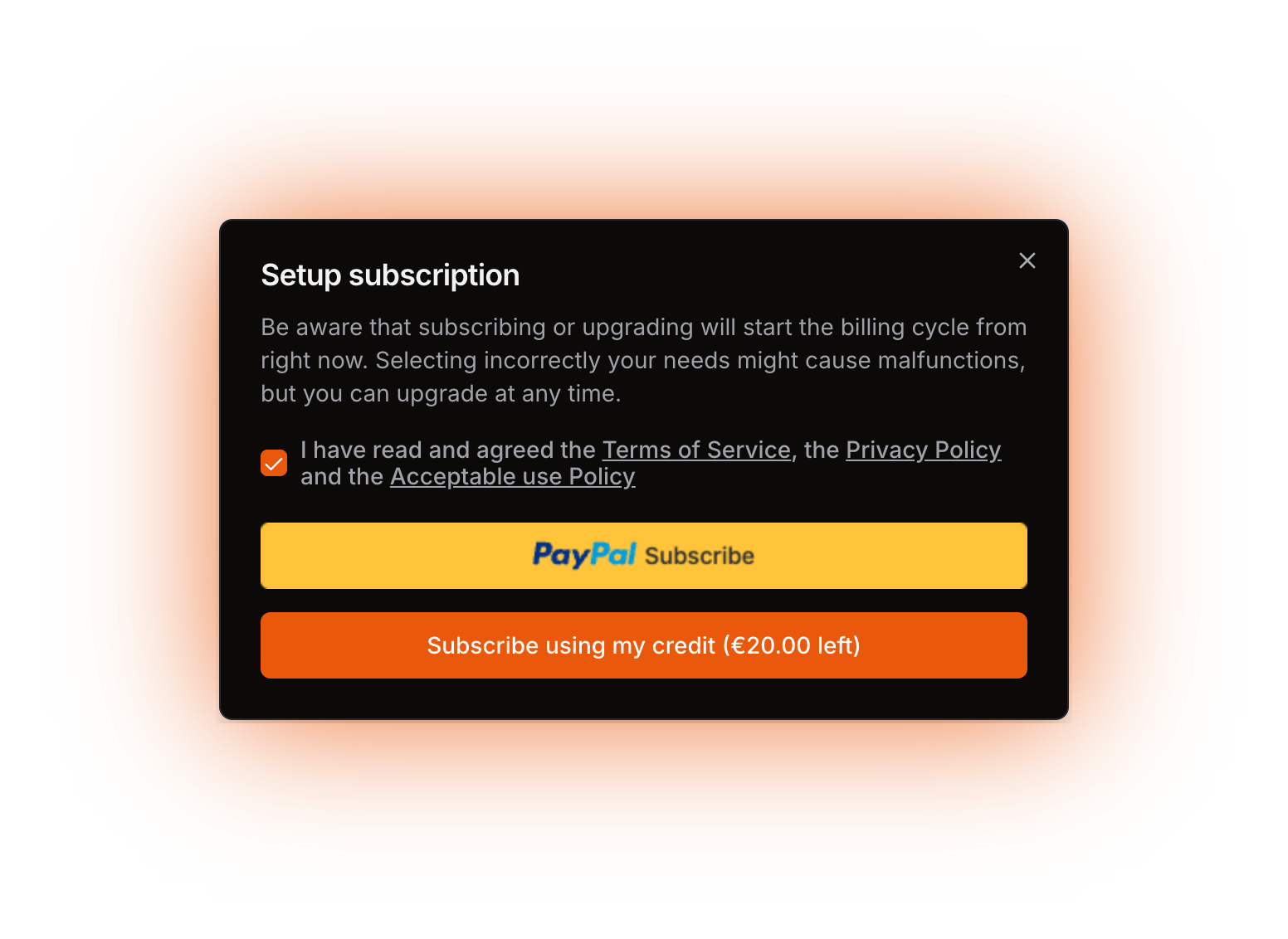
Pick your quota, then press **Subscribe**. In the **Setup subscription** dialog, tick the box agreeing to the Terms of Service, the Privacy Policy and the Acceptable use Policy, and the payment buttons become usable.
The Setup subscription dialog, with the agreement checkbox ticked and both payment methods shown
There are exactly two payment methods.
* **PayPal.** Creates a recurring PayPal subscription.
* **Credit.** The **Subscribe using my credit** button appears only if your account has a credit balance, and you cannot use it when the balance is below the price.
Credit is a balance in euros attached to your account. It shows on your [account page](/using-the-dashboard/account.md) when it is not zero. Only staff can grant credit, in special cases. You cannot buy it. Refunds go back onto the balance.
Whichever method you pay with, a successful subscription also grants your account the [**Premium** badge](/contributing/badges.md).
## Upgrading
Move the quota picker and press **Upgrade**. Confirming the purchase does not edit your subscription, it replaces it: the old one is cancelled, your last payment on it is refunded in full, a new subscription is created at the new quota, and the billing cycle starts again from that moment. Downgrading works the same way. If the expiry date has already passed there is nothing left to refund, so changing quota after expiry refunds nothing.
## Pausing, resuming and cancelling
None of the three touches the bot itself, and cancelling refunds nothing. **Pause** in particular is a billing control, not an off switch: a paused bot carries on running until its expiry date passes. The only way to stop a bot is the power button in the [Control panel](/custom-bot/control-panel.md).
## Expiry and the grace period
When the expiry date passes, your bot is **not** switched off at once. It keeps running for a **grace period of 3 days**, and only then is it stopped automatically. But you cannot start it again: from the expiry date onward the power button fails with **Payment required** until you subscribe again.
If PayPal has not reported a next billing time yet, the subscription is created already expired, and it only becomes valid once PayPal confirms the payment to us.
## Messages you may see
| Message | Meaning |
| ------------------------------------------------ | ----------------------------------------------------------------------------------------------------------------------------------------------------------------------------------------------------------------------------------------------------------------------------- |
| **Quota must be greater than zero** | The quota sent was below 1. Pick at least one unit. |
| **Payment required** | You tried to start a bot whose subscription has expired. Subscribe again. |
| **The subscription does not belong to this bot** | The subscription was not created for this bot, or not for the quota you picked. The bot gets no subscription. A PayPal subscription created for it is cancelled and its payment refunded once the payment reaches us, so check your PayPal activity before subscribing again. |
## Self-hosting instead
Self-hosting gives you the same capabilities for free. You provide the machine and run the bot yourself instead of paying us to run it. See [Self-hosting the bot](/self-hosting/self-hosting.md).
Technical details
* Price: `CUSTOM_BOT_QUOTA_UNIT_PRICE` is `500n` with `DEFAULT_CURRENCY` `EUR` and 2 decimals, so the total charged is 500 cents times the quota (`packages/common/src/Constants.ts`). The 3-month interval is hardcoded where the subscription is created, and PayPal bills against `PAYPAL_PRODUCT_PLAN_ID`.
* The quota picker stops at 1 and at `PAYPAL_CUSTOMBOTS_MAX_QUOTA` (50 in `.env.example`), so the dashboard's own ceiling is EUR 250.00 per quarter. The advertised member figure is quota times 50,000.
* What a unit buys in the cluster: CPU limit `quota × quotaMultiplier × K8S_CUSTOMBOTS_BASE_QUOTA_CPU` millicores and memory limit `quota × quotaMultiplier × K8S_CUSTOMBOTS_BASE_QUOTA_MEM` MiB (50 and 100 in `.env.example`, so 50m and 100 MiB per unit). `quotaMultiplier` is a per-bot float, 1 by default, that staff raise to grant capacity without charging for it.
* Upgrading cancels the old subscription with the refund flag on, then creates a new one (`SubscriptionService.subscribe`, `packages/services/src/customBots/subscription/SubscriptionService.ts`).
* Refund maths (`calculateRefund`): it returns the whole last payment while now sits between the payment date and the expiry date, and `0` outside that window, because the elapsed-over-total ratio is a BigInt division that truncates to zero. The refund is only attempted when the last payment used the same payment source as the subscription.
* **Cancel** passes no refund flag, so nothing is refunded there, ever.
* Renewal: `credit-subscription-billing` charges every active credit subscription whose `nextBillingTime` has passed, pushes that date on by the interval, and extends the matching custom-bot subscription. `custom-bots-controller` then applies the grace period, `SUBSCRIPTION_GRACE_PERIOD = 3` days.
* `PaypalPaymentSource.subscribe` takes the expiry date from `billingInfo.nextBillingTime`. Its 3-day fallback for a missing billing time is dead code, so the subscription row is written already expired and only `PAYMENT.SALE.COMPLETED` renews it.
* `SUBSCRIPTION_UNMATCHED` is thrown after the PayPal subscription already exists, and nothing cancels it there: the cancelling and the refund happen when the payment arrives.
* Payment sources are the Prisma enum `PaymentSource { paypal, credit }`. There is no Stripe integration anywhere.
* Credit is a BigInt balance of euro cents on the user row, written only by the admin `user.update` mutation behind the ManageUsers permission. No code path turns a donation into credit by itself.
* PayPal webhook: `POST /api/paypal-events` verifies the signature and handles only `PAYMENT.SALE.COMPLETED` and `BILLING.SUBSCRIPTION.CANCELLED` (`apps/backend/src/routes/paypal.ts`). A payment is refunded automatically and its PayPal subscription cancelled when the subscription is not the one attached to this bot, when the bot no longer exists, when the currency is not EUR, or when the quantity is above the maximum quota. This happens on PayPal's side, so the dashboard shows no message.
* **Pause**, **Resume** and **Cancel** proxy straight to the PayPal API for a PayPal subscription, and the status is read live from PayPal, so the state in the dashboard is the state PayPal reports.
* The badge is granted in `SubscriptionService.subscribe` and never taken away, so it stays on the profile after the subscription ends.
* Other error strings: `The quota is too high` (`BOT_QUOTA_TOO_HIGH`, PayPal reported a quantity above the maximum), `This bot doesn't have a subscription` (`BOT_SUBSCRIPTION_MISSING`), `You don't have enough credit` (`NO_ENOUGH_CREDIT`), `This subscription is already active` (`BOT_SUBSCRIPTION_ALREADY_ACTIVE`, resuming one that is not paused) and `This subscription is already paused` (`BOT_SUBSCRIPTION_ALREADY_PAUSED`).